
Introduction
In today’s digital era, video content dominates the internet, and YouTube stands at the forefront as the world’s largest video-sharing platform. Millions of users stream content daily, ranging from educational tutorials and music videos to documentaries and entertainment clips. However, there are many situations where users want offline access to this content. This is where a YouTube converter becomes incredibly useful.
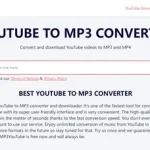
A YouTube converter allows users to transform online video content into downloadable formats such as MP3 or MP4. Whether you want to listen to music offline, save a lecture for later viewing, or repurpose content for personal use, these tools offer convenience and flexibility. In this comprehensive guide, we’ll explore everything you need to know about YouTube converters, including how they work, their benefits, legal considerations, features to look for, and best practices for safe usage.
What Is a YouTube Converter?

A YouTube converter is a software tool or online service that enables users to convert YouTube videos into different file formats. The most common conversions include:
- MP3 (audio format) for music and podcasts
- MP4 (video format) for offline viewing
- Other formats like AVI, MOV, or WAV depending on the tool
These converters extract the media stream from a YouTube video and transform it into a downloadable file that can be stored on your device.
Why Use a YouTube Converter?
There are several reasons why people rely on YouTube converters:
1. Offline Access
One of the biggest advantages is the ability to access content without an internet connection. This is especially useful during travel or in areas with limited connectivity.
2. Audio Extraction
Many users convert YouTube videos into MP3 files to enjoy music, interviews, or lectures without needing to stream video.
3. Storage and Archiving
Converters allow users to save important content for future reference, such as tutorials or educational material.
4. Convenience
Instead of repeatedly streaming the same content, converting it once and storing it locally saves time and bandwidth.
How Does a YouTube Converter Work?
The process behind a YouTube converter is relatively straightforward:
- The user copies the URL of the YouTube video.
- The URL is pasted into the converter tool.
- The tool fetches the video data from YouTube servers.
- The user selects the desired output format (e.g., MP3 or MP4).
- The tool processes and converts the file.
- The converted file is made available for download.
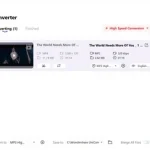
Some advanced converters also allow users to choose resolution, bitrate, and file size.
Types of YouTube Converters
There are several types of YouTube converters available, each with its own advantages and limitations.
1. Online YouTube Converters
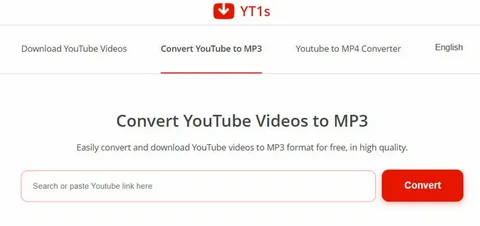
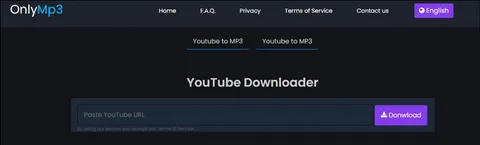
These are web-based tools that require no installation. Users simply visit a website, paste the video URL, and download the converted file.
Pros:
- No installation required
- Accessible on any device with a browser
- Quick and easy to use
Cons:
- May include ads or pop-ups
- Limited features compared to software tools
- Potential security risks if using untrusted sites
2. Desktop Software
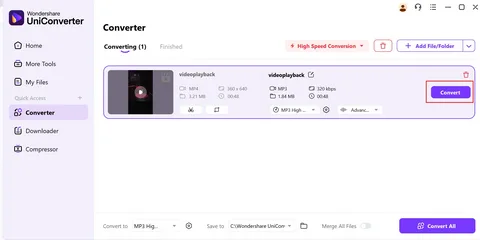
Desktop converters are installed on your computer and often provide more advanced features.
Pros:
- Faster conversion speeds
- More customization options
- Better security and reliability
Cons:
- Requires installation
- May consume system resources
3. Mobile Apps
Mobile apps allow users to convert videos directly on smartphones or tablets.
Pros:
- Convenient for mobile users
- Easy access on the go
Cons:
- Limited availability on official app stores
- May have restricted functionality
Key Features to Look for in a YouTube Converter
When choosing a YouTube converter, consider the following features:
1. Format Compatibility
Ensure the tool supports multiple formats like MP3, MP4, WAV, and AVI.
2. Conversion Speed
A good converter should process files quickly without compromising quality.
3. Quality Options
Look for tools that offer different resolutions (e.g., 720p, 1080p, 4K) and audio bitrates.
4. User-Friendly Interface
An intuitive design makes the conversion process simple and efficient.
5. Batch Conversion
Some tools allow users to convert multiple videos simultaneously, saving time.
6. Security and Privacy
Choose converters that do not require unnecessary permissions or downloads that could harm your device.
Is It Legal to Use a YouTube Converter?
This is one of the most important questions surrounding YouTube converters.
Understanding Copyright Laws
YouTube’s terms of service generally prohibit downloading content without permission, except through official features like offline viewing in the app. Downloading copyrighted material without authorization may violate copyright laws.
When Is It Allowed?
You may legally use a YouTube converter if:
- The content is in the public domain
- The creator has granted permission
- The video is your own content
Best Practice
Always respect intellectual property rights and use converters responsibly. If in doubt, seek permission from the content creator.
Risks of Using YouTube Converters
While these tools are useful, they come with potential risks:
1. Malware and Viruses
Some unreliable converters may include harmful software or deceptive ads.
2. Data Privacy Issues
Untrusted platforms may collect personal data or track user activity.
3. Poor Quality Output
Low-quality converters may compress files excessively, resulting in poor audio or video quality.
4. Legal Consequences
Downloading copyrighted content without permission can lead to legal issues in certain jurisdictions.
Tips for Safe and Effective Use
To minimize risks and maximize efficiency, follow these tips:
- Use reputable and well-reviewed converters
- Avoid clicking on suspicious ads or pop-ups
- Install antivirus software for added protection
- Check file quality settings before downloading
- Respect copyright laws and content ownership
Alternatives to YouTube Converters
If you’re hesitant about using converters, consider these alternatives:
1. YouTube Premium
This subscription service allows users to download videos for offline viewing within the app.
2. Streaming Services
Music streaming platforms often provide offline listening options with proper licensing.
3. Screen Recording Tools
These tools can capture video content directly from your screen, though quality may vary.
SEO Benefits of Understanding YouTube Converters
For content creators and marketers, YouTube converters can play a role in content strategy:
- Repurposing video content into audio formats
- Creating podcasts from video material
- Enhancing accessibility for users who prefer audio content
- Improving engagement by offering multiple content formats
However, always ensure you have the right to reuse and distribute the content.
Future of YouTube Converters
As technology evolves, YouTube converters are becoming more advanced. Emerging trends include:
- AI-powered conversion tools
- Faster cloud-based processing
- Improved format compatibility
- Enhanced security features
At the same time, stricter copyright enforcement and platform policies may shape how these tools operate in the future.
Conclusion
A YouTube converter is a powerful tool that offers flexibility, convenience, and offline access to valuable content. Whether you’re a student, professional, or casual user, these tools can enhance your digital experience when used responsibly.
However, it’s essential to balance convenience with legality and security. Always choose reliable tools, respect copyright laws, and prioritize your online safety. By following best practices and staying informed, you can make the most of YouTube converters while avoiding potential pitfalls.
As the digital landscape continues to evolve, YouTube converters will remain a popular solution for content accessibility—provided they are used ethically and wisely.